A quick primer on travel routers
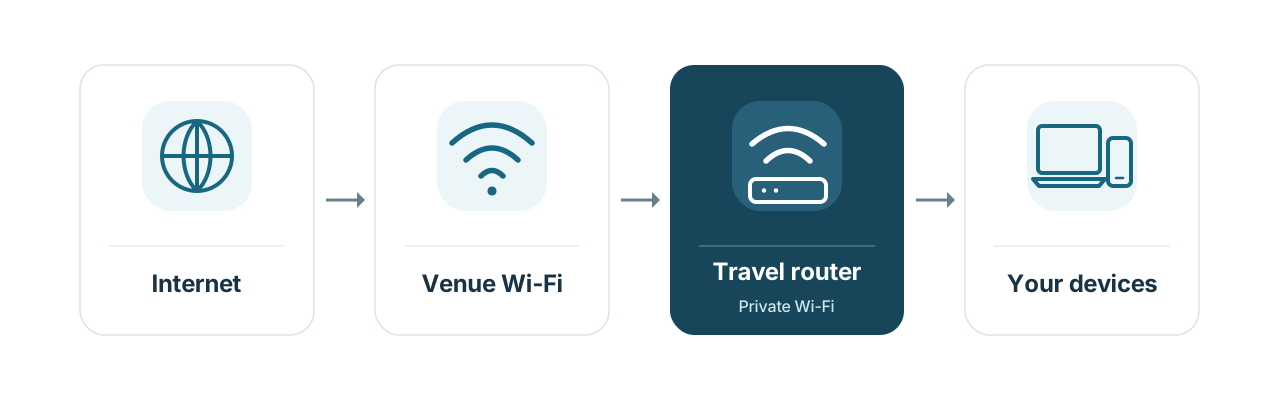
A travel router is like what you use at home or work, but made smaller to prioritize portability. The idea is that, while moving (like on a plane or train) or at a temporary location (like a hotel or airport lounge), you fire up the travel router, and use it to connect to the location’s WiFi network. The travel router then rebroadcasts that internet connection over its own private local network, which your devices already know and connect to automatically. You don’t have to do the dance where you log in to the hotel (or whatever) WiFi on every device you have, and re-do it every time you move locations. Travel routers also provide VPN services, which protect your traffic on these untrusted 3rd-party networks. Since they’re making a new local network under your control, and appear as a single device to the network they’re connected to, they also get around any restrictions on the number of devices you can connect. This is particularly handy when you have laptops, phones, watches, game consoles, streaming devices, and so on in your family or group. (I’m certain that hotels and airlines that impose fees per device or other limits would not be happy to have your router connected. Use your own judgment when connecting a travel router to them, obviously.)
The Unifi Travel Router and the GL.iNET Beryl AX
There are a lot of travel routers out there. Heck, there are a lot just from GL.iNET, and they offer different compromises on size, cost, functionality, and portability. I’m mainly going to focus on the two I’ve used most recently, the GL.iNet GL-MT3000 Beryl AX and the Unifi Travel Router (UTR).
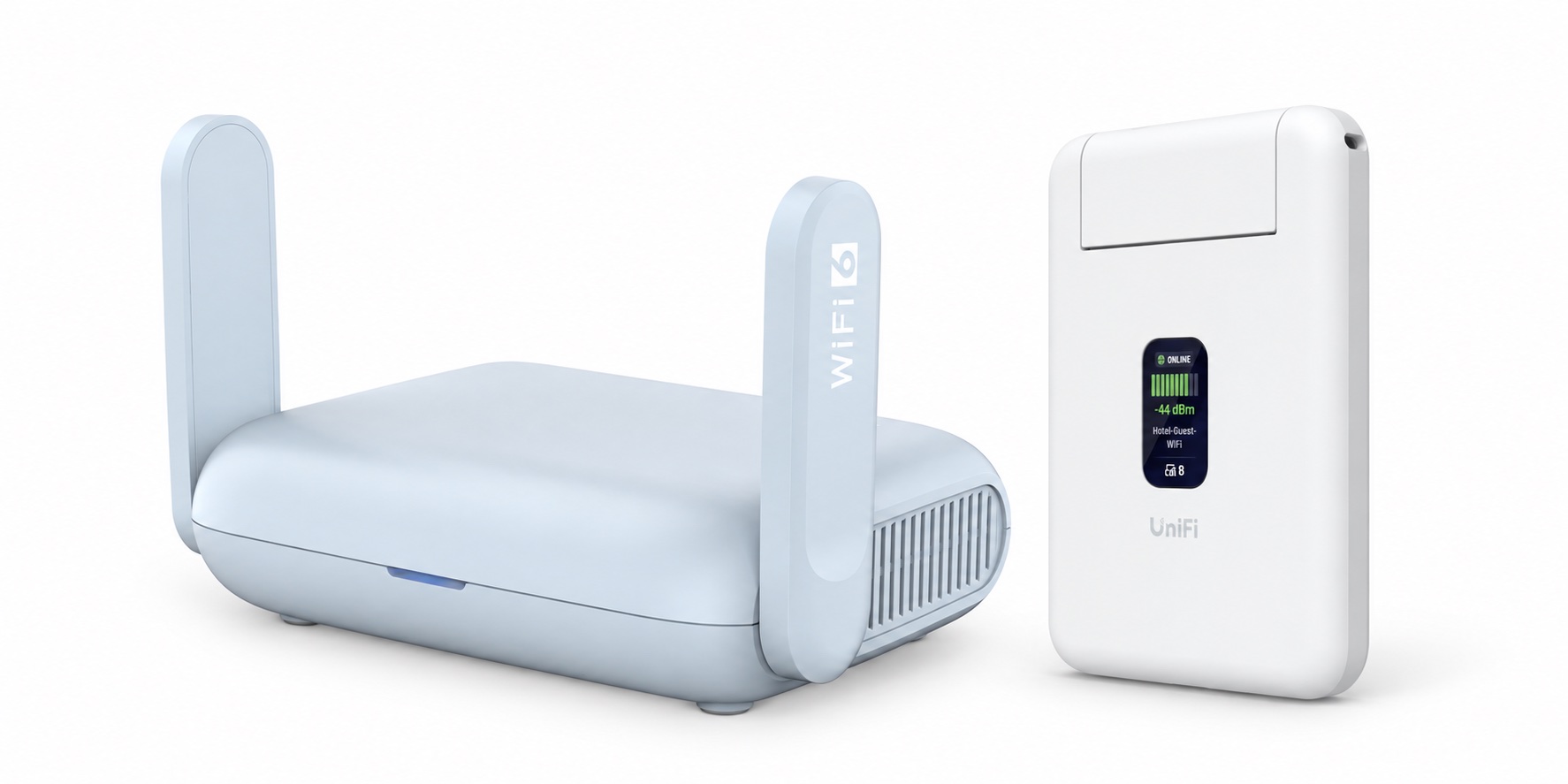
The Beryl AX is the one I’ve used for the past couple of years, and it’s great, though I’ve switched to using the UTR for the past few trips. The Beryl AX is physically larger than the UTR, though still small, and is the more fully featured of the two. It has quite a few things that are better than the UTR: WiFi 6, external antennas, a physical switch on the side (which I have set to turn my VPN on and off), and OpenWRT for a ton of configurability. If you’re looking for a travel router that caters more to the power user side of things, the Beryl might be for you.
On the other hand, the UTR is less than half the size of the Beryl. Size is always of paramount importance when traveling, and the UTR is about the size of a stack of five credit cards. It’s got a little screen on the front (that displays WiFi and VPN status), like a lot of Unifi devices do, and has two Ethernet ports for connecting a wired device or a WAN. (The UTR is actually too thin to accommodate a regular RJ45 port, so it has neat little expanding ports that expand as you connect to it.)
The other main advantage for the UTR is the Unifi integration. I’m using a Ubiquiti-based network at home, and the UTR does a neat trick where it can automatically use its Teleport VPN to connect back to my home network, and it broadcasts the same network I use at home. That means that it automatically looks just like my home network to my devices; they just connect and have access to all the resources they normally do. It’s seamless, and very cool. Note that you don’t have to use the UTR with a Unifi system—it can run without a Unifi account in standalone mode—but I think you’d be losing a big part of the reason to pick the UTR over other options.
The Beryl has a more sophisticated set of VPN options, including Wireguard, OpenVPN, Tailscale, etc. As I noted earlier, I have the customizable switch on the body of the Beryl set to control whether or not traffic is routed through the VPN or not, which is handy. With some work, it’s entirely possible to create a similar setup to what the UTR does, but it does take some initial effort instead of being automatic.
As for managing the routers, the UTR is controlled by the Unifi mobile app (I’ve only used the iOS version), which has a nice, straightforward interface for configuration, while the Beryl exposes a pretty good web interface, with the option to get way into the OpenWRT weeds if you want to.
One thing that can be a bit of a faff for all of these devices is connecting to the various “captive portal” interfaces to remote WiFi systems. If you’ve ever connected to one of these hotel networks, you’re familiar with the login page that pops up before it gives you an internet connection. You usually have to authorize with a name and room number or similar information before it lets you use the internet. Airlines, lounges, etc. frequently have some version of this experience. Both routers try and make this as transparent as possible, to varying degrees of success. The difficulty in navigating the various types of authorization flow is the main reason that I think travel routers in general remain the domain of tech-savvy travelers.
The Beryl frequently succeeds at automatically putting up a captive portal to log in to. But some networks, particularly Marriott networks in my experience, can require a bit of investigation and manual navigation to get working.
I have less varied experience with the UTR, but over a few trips, it has worked pretty well on United, a couple of Hiltons and a few Marriotts. It has occasionally failed to throw up the portal to log in to the network when first connecting, but the app has a “Reauthorize” button that forces it open. I’d give the UTR the slight nod here.
There is one issue I’ve noticed with the UTR, but have not completely isolated: it seems somewhat sensitive to power fluctuations. On a recent flight, when plugged into a Nomad 2-port USB-C adapter, with the UTR on one port, the router rebooted whenever I connected or disconnected a device to the other port. Other devices don’t seem to have an issue with this particular charger. I would usually suspect the charger, but I’ve noticed it reboot very occasionally in other circumstances too.
The Beryl is a bit more difficult to use on a plane, mostly due to its size and weight. The UTR is so small and light that it can easily fit discreetly in a small space—like in a seat back pocket or an armrest cubby—or even just hang from its USB-C port. The Beryl is harder to get set up in those spaces. The Beryl also seems like it draws more power, and has been more likely to reboot while on plane power than the UTR (the UTR power issue noted above notwithstanding).
Overall, neither device is perfect. The Beryl has the advantage of being a generally more mature product, whereas the UTR is Ubiquiti’s first such offering. However, for a first version, it’s surprisingly polished. Ultimately, the smaller size of the UTR and its nearly transparent integration with my Ubiquiti setup at home have made it my choice for now.