I love this design study of a “developer terminal”, called the c100 by Caligra. I’m not sure I need literal tool storage in my portable/mini computer, but I like that they’re experimenting with the form of the computer.
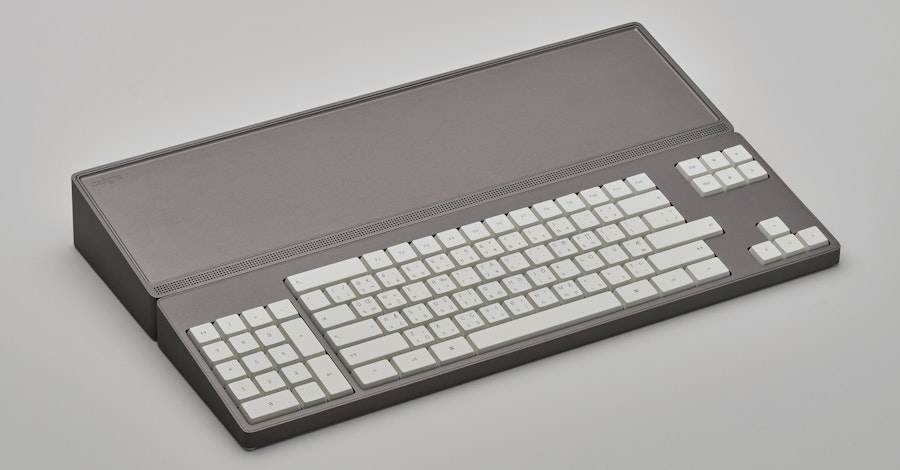
Caligra c100 Developer Terminal
Industrial design of computer hardware for professional environments.
The keyboard has some novel ideas. I like the oversized enter and escape keys, though I don’t dig placing the numpad on the left-hand side. (I learned to ten-key back in the day, and my left hand just doesn’t have the muscle memory for that. Then again, I’m never doing the kind of number entry that led me down that path, so maybe I could adapt enough?) I like the extra empty space around the arrow keys, which I assume makes it very easy to find those keys by touch. One thing I’d miss from my Keychron keyboard is the volume knob, which I use constantly.
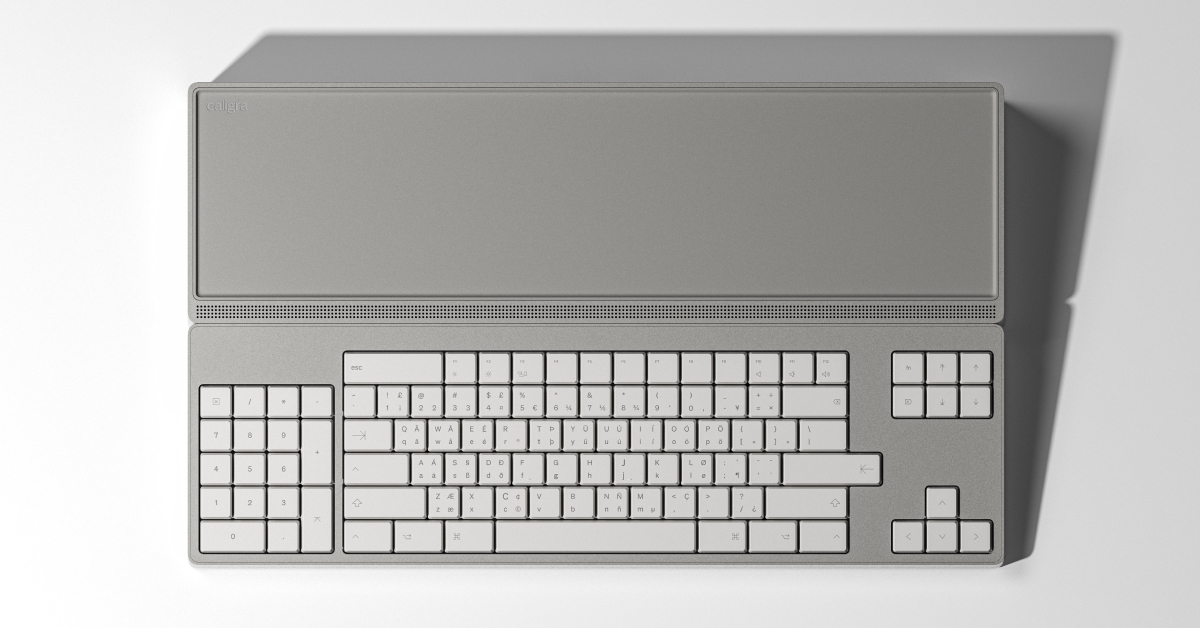
Caligra c100 Developer Terminal
Explore the c100 hardware platform purpose-built for expert workflows.
Aside from its form factor, it comes with developer-friendly specs for its $2K price tag: 96GB RAM, a 1TB SSD, and a 2.5Gb ethernet port.
Apparently the machine runs a custom Linux-based OS called Workbench. They say it’s not a distro, but is based on Fedora. Having a read-only base that hosts containers seems interesting too. That’s available separately, so maybe I’ll download it and check it out.
Having recently experimented with a Framework Desktop machine and Omarchy, but selling that machine on after not finding a real place for it in my day-to-day workflow, I’m going to resist the urge to order one of these to play with, although I am curious about it.
I feel like one thing that I need to support this kind of experimentation and exploration is a better story around monitors and/or hubs. I really need some way to have other machines fit into my workflow, using my input devices and peripherals. I know that I’m picky: in particular, my existing monitor, a Pro Display XDR, is hard to work with. Apple is notorious for making their monitors with no affordances for multiple machines, let alone non-Apple ones, but there’s no one else making monitors with the high resolution and attention to aesthetics that they do.
I connect to that monitor with a CalDigit TS5 Plus hub, but connecting the Framework Desktop to that hub didn’t work, nor did using the monitor as a hub. The ecosystem for bridging Thunderbolt and the various USB variants just isn’t there, especially across Macs and Linux machines. For instance, my webcam would be recognized when connected directly to the Desktop, but not when routed through the hub or monitor. While KVMs have been around for a long time, they generally have serious limitations, chiefly a lack of support for a Retina display. I set that Framework machine up on its own desk, with its own monitor and input devices, but I found that moving between desks was enough friction that I wasn’t using it often enough to justify it, or the space in my office.
Honestly, I have pretty much my dream computing setup right now, with the aforementioned Pro Display XDR and a new MacBook Pro with the M5 Ultra, so I should probably just stop looking at these other machines. But the geek in me can’t help but be curious when I see interesting things like Caligra and Framework have been working on.