Have you ever been presenting in a meeting and had some notification appear on your screen? It’s at best distracting and possibly embarrassing.
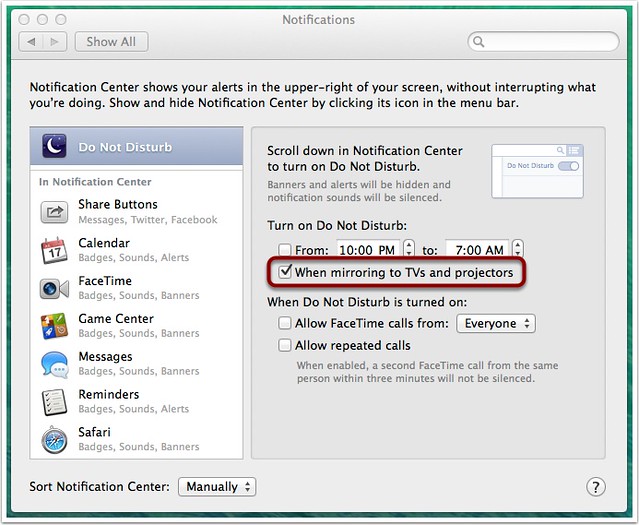
First, there’s a “Do Not Disturb” control in Notification Center on Mavericks, if you scroll up in the Notification Center area when it’s revealed. But even better is the preference in the Notifications panel shown above, “Turn on Do Not Disturb: When mirroring to TVs and projectors”. Ensure this is checked, and you don’t need to worry about this issue at all.
There’s a DND available on iOS too, but only the manual option is there; you have to remember to turn it on if you’re going to share your iPad screen.