Hiding Photoshop with ⌘-H

It's a simple thing to change ⌘-H in Photoshop to hide the app, bringing it in line with other Mac apps, but most people don't know how. (By default it hides guides and other things.) Adobe's going to rectify this in CS5 by giving a choice to the user on first launch. Nice move.

(To do this in CS4, go to Window -> Workspace -> Keyboard Shortcuts and Menus. Next to "Shortcuts For:" select "Application Menus". "Hide Photoshop" is there and can be changed to ⌘-H.)

Faker

I just had the need to generate some test user data and came across Faker. It's a small Ruby library and it's perfect. It generates fake names, email addresses, domain names and more. Light and easy to use.

    irb(main):002:0> require 'faker'
    => true
    irb(main):003:0> Faker::Name.name
    => "Fredy Bins III"
    irb(main):004:0> Faker::Name.name
    => "Chester Bashirian"
    irb(main):005:0> Faker::Internet.email
    => "cara@kuhlman.name"
    irb(main):006:0> Faker::Internet.free_email
    => "luis@hotmail.com"
    irb(main):007:0> Faker::Internet.domain_name
    => "grady.ca"
    irb(main):008:0> Faker::Internet.user_name
    => "meghan"
    irb(main):009:0> Faker::Internet.user_name
    => "cullen"

Nice.

Happy Winter Solstice!

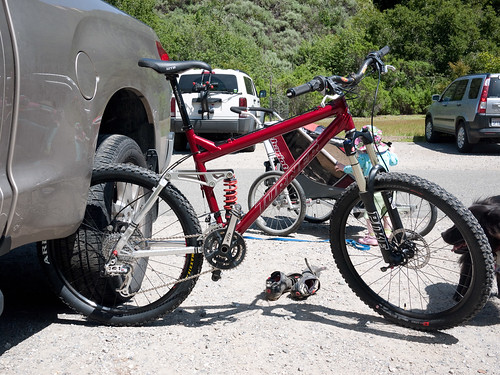
Today is the winter solstice--the shortest day of the year, and the turning point to getting back to longer days. I'm looking forward to having more daylight and one fewer excuse to not be on the bike!

Last Night's Twitter Attack: Change Your Password

Last night, Twitter's DNS records were maliciously changed to point at servers that Twitter does not control. If you tried to use Twitter during that time, depending on how you authenticate to Twitter, it's possible that you sent your user name and password to those unauthorized servers. I'd recommend that you immediately change your Twitter password.

And don't stop there. If you use that password at other sites--a practice that's all too common--make sure to go change it at those sites too. Especially if you use the same user name. While you're at it, take the time to use a different password at each of those locations. Use a password manager to help you remember them if it helps. I use the excellent 1password personally, and highly recommend it.

16 Days in the Himalayas (with a GF1)

This blog article is of a trip to the Himalayas with a Panasonic GF1 in tow. The photography is excellent, and the article itself is a great blend of a trip report and a review of the camera. I found the writing to be a bit choppy in places, but appreciate the magazine-like layout of the site. Worth a read.

Clarity

Looks like Clarity is a neat tool for munging log files. At a previous job, we used Splunk to do this sort of thing. Splunk is clearly more capable, but I'll have to check Clarity out.

Airlock

Airlock is a wonderful utility that locks and unlocks your Mac's screen based on your iPhone's proximity to the computer, using Bluetooth. Very, very cool.

(Via Daring Fireball.)

The Amazon Kindle

I was lucky enough to have received an Amazon Kindle as an early Christmas present from my wife, and have been enjoying it for a few days now. Those who have seen my bookshelf know that I have a pretty large collection of technical books that I use as reference and usually carry one or two as current reading material. These kinds of books are not only expensive, but heavy, and it can be a pain carrying them around both on a daily basis and, as a library, from job-to-job. I'm here to report that the Kindle makes for an excellent solution for both of those problems (although the weight is the most immediately noticeable).

Kindle + iPhone

The Kindle 2, which is the regular $259 model, is surprisingly small and light, as illustrated by the above pic of it next to my iPhone. I knew its dimensions, but once in hand, it really is smaller than I expected, even in its (optional) cover. My bag felt like it shaved off half its weight when the book I'd been carrying around morphed into a Kindle.

The Kindle arrived in a box barely bigger than itself, as did the separate cover. The box is similar to the no-fuss packaging that's available for many products one can order on Amazon, but they did have fun riffing on the barcode and the Kindle logo.

Kindle Cover Barcode

The Kindle comes with its e-ink screen already on and set to some basic instructions on getting up-and-running, which really consists of plugging it in to charge. The included charger is a standard micro-USB affair, which also acts as the USB cord to connect the Kindle to a computer.

Reading on the Kindle is a joy. I won't go into detail about the nitty-gritty, since there are plenty of Kindle reviews out there. However, I was surprised at how much better reading on a Kindle is compared to reading a backlit laptop screen. It really is much more similar to reading a book than a screen.

Kindle Screen

Navigating pages is a bit weird, thanks to slightly funky control layout, but it's easy to get used to and then the funkiness disappears.

My main concern was getting content I knew I wanted on the device. Plugging the Kindle into my MacBook Pro was simple enough, and it shows up on in the Finder as a standard drive with folders for various types of content. While the Kindle can do Audible books, I use my iPhone for that, and didn't bother wasting space on the Kindle with the large audio files (the Kindle has 2 GB of storage for media).

Two publishers that publish a lot of the books I read, O'Reilly and The Pragmatic Programmers, both offer quite a few of their current titles in e-book format. I'd already purchased e-books in PDF form from the Prags, and they offer Kindle-compatible versions in the form of .mobi files for customers who purchase an e-book from them.

I hadn't purchased e-book versions of the O'Reilly books I own and they don't seem to publicize their e-book upgrade offer on the website very prominently. They recently started offering Kindle-compatible .mobi versions of their books and if one has O'Reilly books registered with the company online, it's possible to "upgrade" to an e-book for $4.99 by added the e-book to your cart on their online store and using the coupon code "499 UP". I did this for the books I want to have around all the time, as well as the newest ones I haven't read yet. A nice bonus here is that if you have a book that's since been updated, you can get the e-book of the newest version this way, as I did with "Linux In A Nutshell".

The Kindle recently had an update, which added native PDF support. The PDF support was something I was really wanting, and had in fact decided to not get a Kindle until they added such support. It's nice to be able to add PDFs directly to the Kindle, although in practice, reading a PDF isn't nearly as nice as having a .mobi or .azw, since PDFs aren't really optimized to this kind of reading experience. It works, but it's a crutch. Luckily, Amazon offers a free conversion service that takes PDFs and makes Kindle-specific files of them. It's not perfect, but I've converted several white papers I have on my reading backlog and it did a good-enough job.

Given these types of books, I think the larger Kindle DX would probably serve me better, but I'm not willing to part with the extra $200 or so dollars the upgrade costs. Maybe when the price comes down. A nice financial benefit to e-books is that new ones cost quite a bit less than their dead-tree cousins. A typical $45-50 technical book runs about half that in e-book format. I think the Kindle device, while expensive, will pay for itself soon enough, given how many of these books I tend to buy. And I'm looking forward to clearing a lot of room from my bookshelves at home.

When deciding that I wanted a Kindle, I had initially decided it would be wise to wait and see how the recently introduced Barnes & Noble Nook would play out. After thinking about it though, I decided that I'm a big Amazon user, and it made more sense to get a Kindle even if the Nook turned out to be a bit better from a hardware perspective. Now that they're shipping, it appears that the Nook might not be bettereven from that point-of-view.

All-in-all, I like the Kindle a lot, and I'm glad I received it. Thanks, Val!

Top Five Mountain Bike Digital Cameras

Photo-John recently posted his list of the top five cameras for mountain biking on MTBR, and given how well that hits two of my favorite hobbies, I couldn't help but re-post it here.

I haven't used any of these cameras, but the choices and reasons for making them seem sound. In my case, I've opted for the GF1 in place of Photo John's #2, the GH1. The GF1 gives ground to the GH1 in EVF quality and it shoots video at 720p instead of the GH1's 1080p, but is smaller in size and comes in a kit with the lovely 20mm f/1.7. I can see someone going either way.

His #1, the Canon 7D is also a good choice of DSLR based on reviews I've read (and being a former Canon 30D user). I use the Nikon D700 as my DSLR, which has the advantages of being full-frame, better in low light and better sealing (and, IMO, handling). It gives up ground on being much more expensive and doesn't do video at all.

In any case, it's a good list and worth checking out if you're in the market.