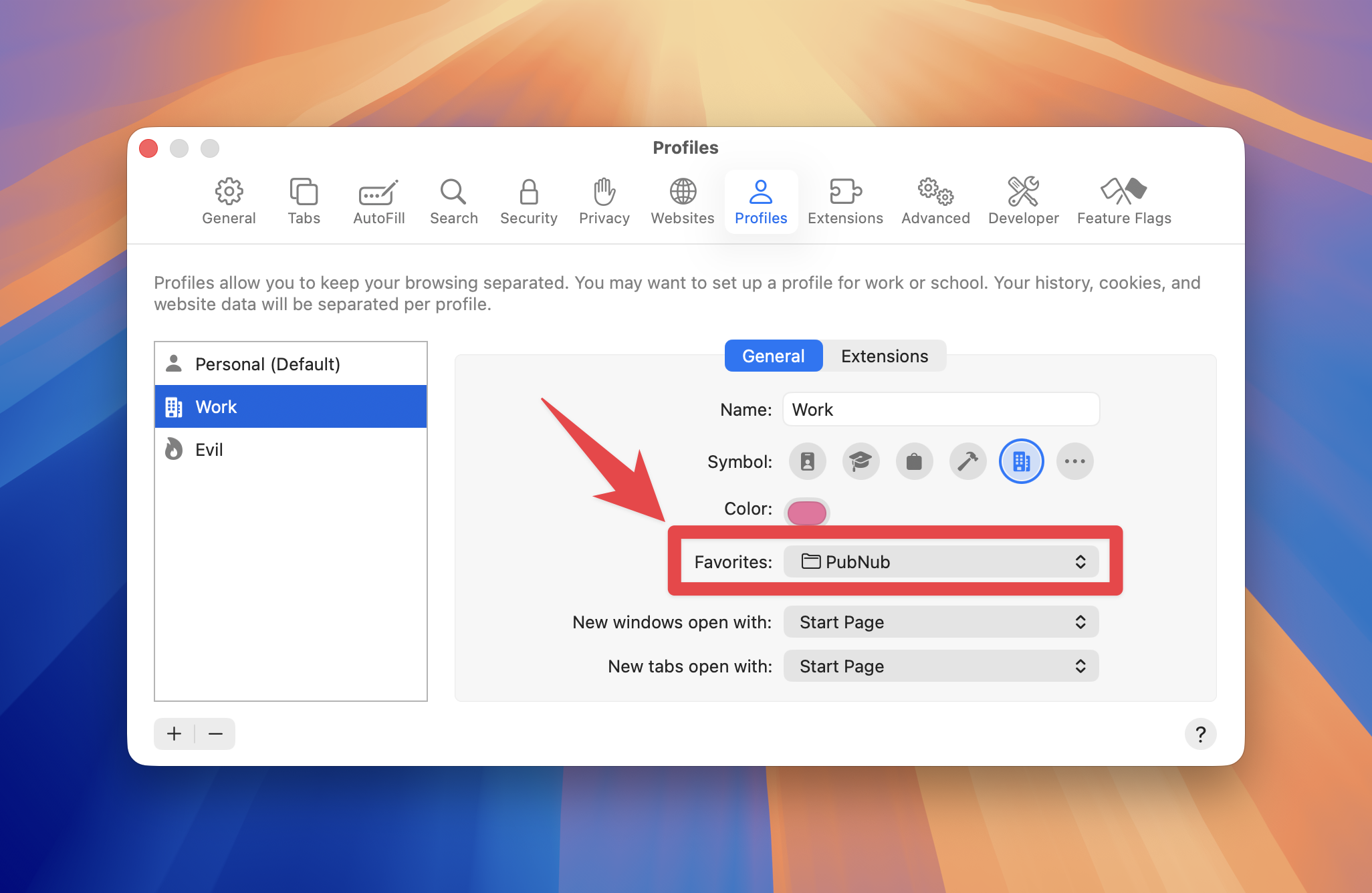
This is a bit of a TIL, and small, but it was a nit that I lived with for too long before figuring it out. In Mac Safari, when you use separate profiles like I do, say a Work profile for all of your work bookmarks, it can be hard to figure out where the bookmarks in the Favorites bar come from. It’s easy enough to drag items into the Favorites bar, but if you go to Edit Bookmarks and look at Favorites, you’ll see the ones from your main profile.
Well, go to Safari → Profiles and select your profile on the left (say, “Work” in this example). If you look on the resulting panel, you’ll see “Favorites”. This is a dropdown that lets you select what folder among your shared bookmarks will be the Favorites bar in that profile.