My Two Favorite Travel Routers

A quick primer on travel routers

A travel router is like what you use at home or work, but made smaller to prioritize portability. The idea is that, while moving (like on a plane or train) or at a temporary location (like a hotel or airport lounge), you fire up the travel router, and use it to connect to the location’s WiFi network. The travel router then rebroadcasts that internet connection over its own private local network, which your devices already know and connect to automatically. You don’t have to do the dance where you log in to the hotel (or whatever) WiFi on every device you have, and re-do it every time you move locations. Travel routers also provide VPN services, which protect your traffic on these untrusted 3rd-party networks. Since they’re making a new local network under your control, and appear as a single device to the network they’re connected to, they also get around any restrictions on the number of devices you can connect. This is particularly handy when you have laptops, phones, watches, game consoles, streaming devices, and so on in your family or group. (I’m certain that hotels and airlines that impose fees per device or other limits would not be happy to have your router connected. Use your own judgment when connecting a travel router to them, obviously.)
The Unifi Travel Router and the GL.iNET Beryl AX

There are a lot of travel routers out there. Heck, there are a lot just from GL.iNET, and they offer different compromises on size, cost, functionality, and portability. I’m mainly going to focus on the two I’ve used most recently, the GL.iNet GL-MT3000 Beryl AX and the Unifi Travel Router (UTR).
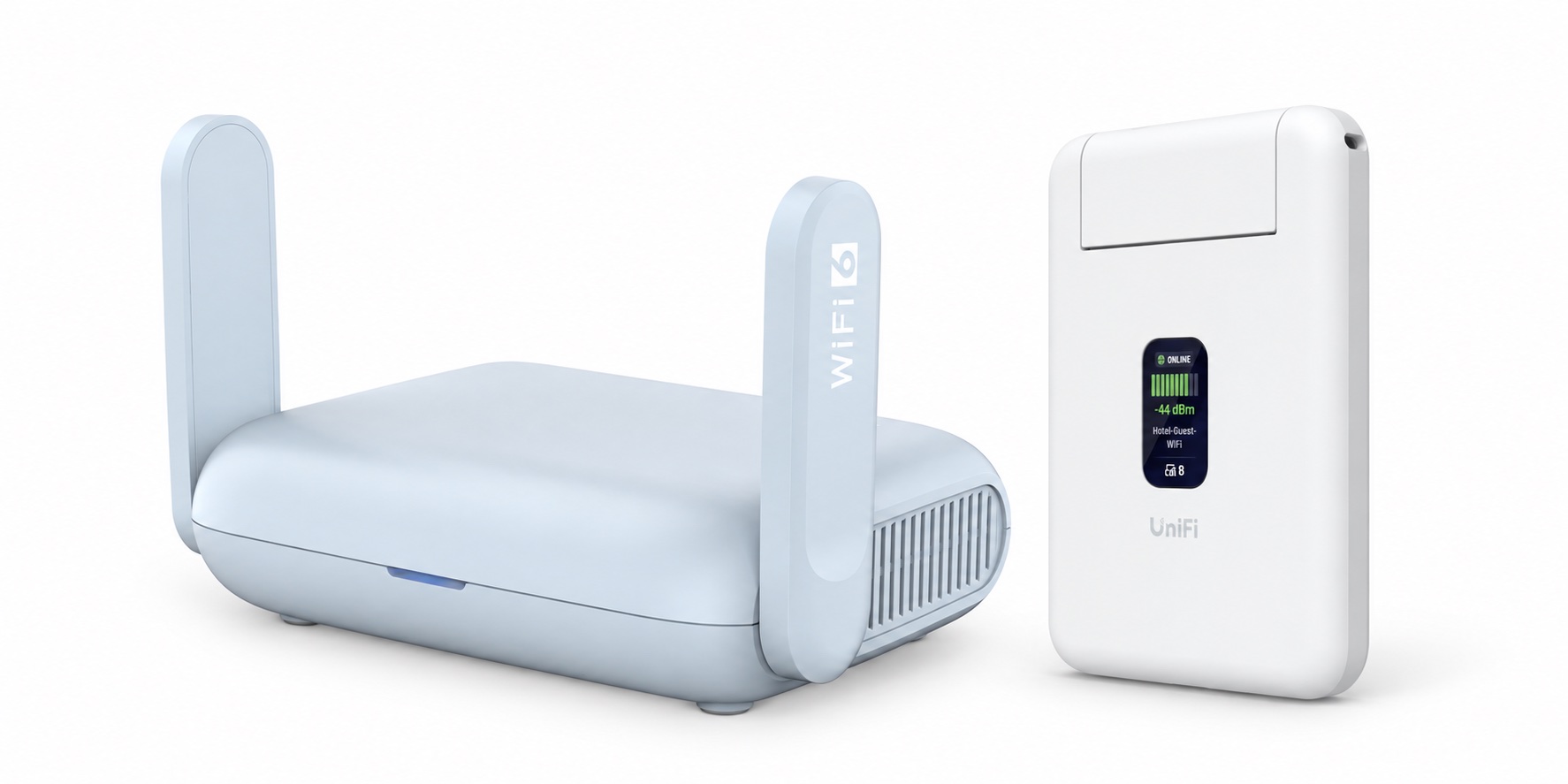
The Beryl AX is the one I’ve used for the past couple of years, and it’s great, though I’ve switched to using the UTR for the past few trips. The Beryl AX is physically larger than the UTR, though still small, and is the more fully featured of the two. It has quite a few things that are better than the UTR: WiFi 6, external antennas, a physical switch on the side (which I have set to turn my VPN on and off), and OpenWRT for a ton of configurability. If you’re looking for a travel router that caters more to the power user side of things, the Beryl might be for you.

On the other hand, the UTR is less than half the size of the Beryl. Size is always of paramount importance when traveling, and the UTR is about the size of a stack of five credit cards. It’s got a little screen on the front (that displays WiFi and VPN status), like a lot of Unifi devices do, and has two Ethernet ports for connecting a wired device or a WAN. (The UTR is actually too thin to accommodate a regular RJ45 port, so it has neat little expanding ports that expand as you connect to it.)

The other main advantage for the UTR is the Unifi integration. I’m using a Ubiquiti-based network at home, and the UTR does a neat trick where it can automatically use its Teleport VPN to connect back to my home network, and it broadcasts the same network I use at home. That means that it automatically looks just like my home network to my devices; they just connect and have access to all the resources they normally do. It’s seamless, and very cool. Note that you don’t have to use the UTR with a Unifi system—it can run without a Unifi account in standalone mode—but I think you’d be losing a big part of the reason to pick the UTR over other options.

The Beryl has a more sophisticated set of VPN options, including Wireguard, OpenVPN, Tailscale, etc. As I noted earlier, I have the customizable switch on the body of the Beryl set to control whether or not traffic is routed through the VPN or not, which is handy. With some work, it’s entirely possible to create a similar setup to what the UTR does, but it does take some initial effort instead of being automatic.

As for managing the routers, the UTR is controlled by the Unifi mobile app (I’ve only used the iOS version), which has a nice, straightforward interface for configuration, while the Beryl exposes a pretty good web interface, with the option to get way into the OpenWRT weeds if you want to.

One thing that can be a bit of a faff for all of these devices is connecting to the various “captive portal” interfaces to remote WiFi systems. If you’ve ever connected to one of these hotel networks, you’re familiar with the login page that pops up before it gives you an internet connection. You usually have to authorize with a name and room number or similar information before it lets you use the internet. Airlines, lounges, etc. frequently have some version of this experience. Both routers try and make this as transparent as possible, to varying degrees of success. The difficulty in navigating the various types of authorization flow is the main reason that I think travel routers in general remain the domain of tech-savvy travelers.

The Beryl frequently succeeds at automatically putting up a captive portal to log in to. But some networks, particularly Marriott networks in my experience, can require a bit of investigation and manual navigation to get working.

I have less varied experience with the UTR, but over a few trips, it has worked pretty well on United, a couple of Hiltons and a few Marriotts. It has occasionally failed to throw up the portal to log in to the network when first connecting, but the app has a “Reauthorize” button that forces it open. I’d give the UTR the slight nod here.

There is one issue I’ve noticed with the UTR, but have not completely isolated: it seems somewhat sensitive to power fluctuations. On a recent flight, when plugged into a Nomad 2-port USB-C adapter, with the UTR on one port, the router rebooted whenever I connected or disconnected a device to the other port. Other devices don’t seem to have an issue with this particular charger. I would usually suspect the charger, but I’ve noticed it reboot very occasionally in other circumstances too.

The Beryl is a bit more difficult to use on a plane, mostly due to its size and weight. The UTR is so small and light that it can easily fit discreetly in a small space—like in a seat back pocket or an armrest cubby—or even just hang from its USB-C port. The Beryl is harder to get set up in those spaces. The Beryl also seems like it draws more power, and has been more likely to reboot while on plane power than the UTR (the UTR power issue noted above notwithstanding).

Overall, neither device is perfect. The Beryl has the advantage of being a generally more mature product, whereas the UTR is Ubiquiti’s first such offering. However, for a first version, it’s surprisingly polished. Ultimately, the smaller size of the UTR and its nearly transparent integration with my Ubiquiti setup at home have made it my choice for now.
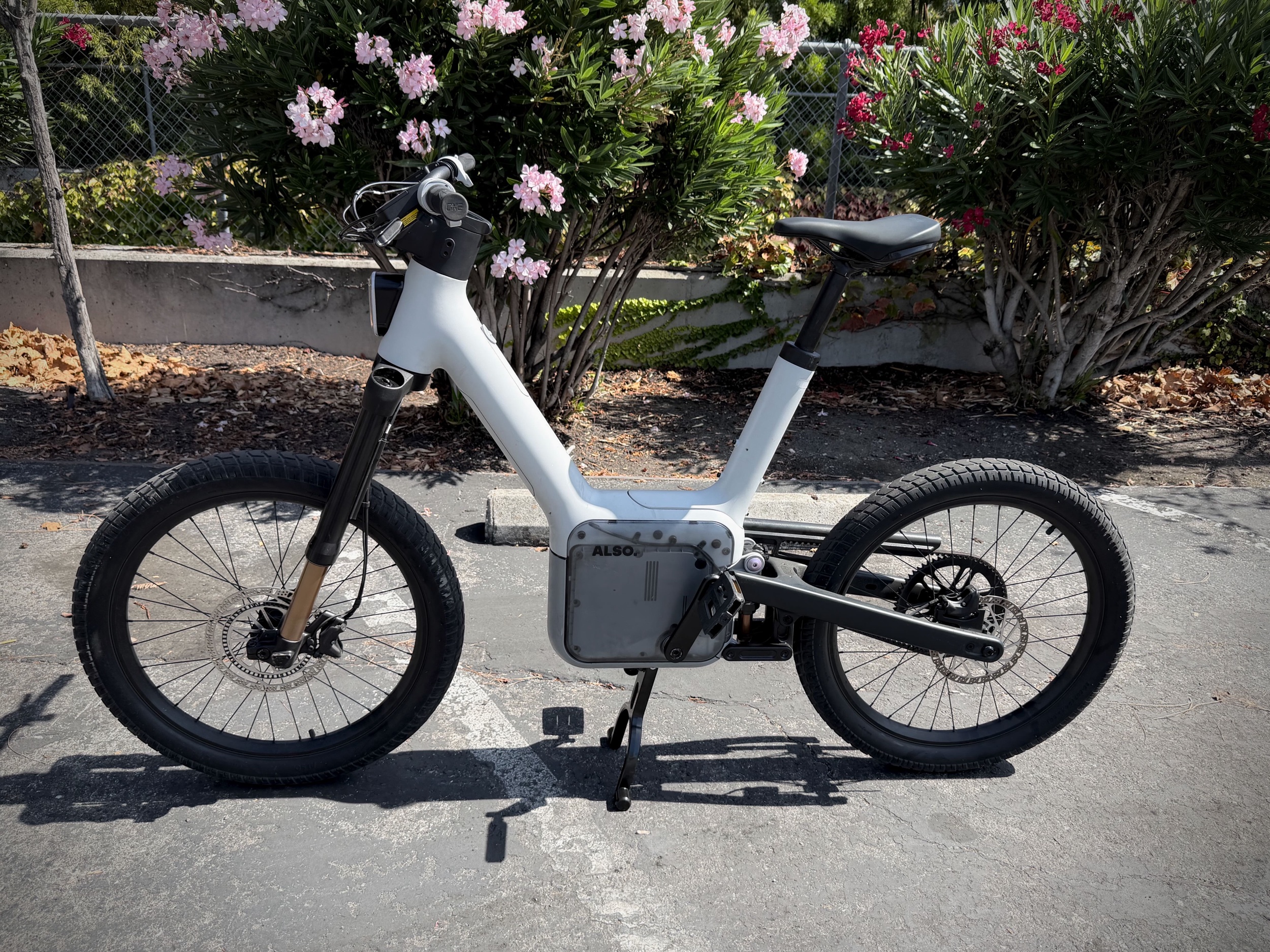

ALSO TM-B Test Ride

I attended a test ride event last week in Palo Alto, at the ALSO HQ. They had a handful of bikes, configured in a variety of ways—with the standard or cargo seat, one with the front rack, etc. They didn’t have any set up in the trail-ready trim, nor did I see a launch edition model.

The ride was interesting. The most obvious difference from other e-bikes I’ve ridden is the pedal-by-wire system. That is, there is no physical connection between the pedals and the drivetrain; a computer translates your pedaling into power at the wheel. This allows it to provide a friendly, shifting-free experience that is very approachable.

Front and rear suspension are standard, and I noticed it working over bumps and road imperfections. The riding position is upright and comfortable, and the pedals are placed in a good position for me. The disc brakes are effective enough, but not particularly a strong point. They squealed when really applied hard, but that’s surely just a setup issue on this particular bike. I’d like to see stronger brakes, but I’m used to powerful MTB disc brakes, and I’m sure these are serviceable enough for the intended purpose. The saddle is also pretty comfortable.

The TM-B has 24-inch wheels front and rear, with large, thick tires. (I rode a model with standard road tires, not the knobby trail tires on some specs.) The tires are tubed, and the rims are not tubeless-ready—a rather large disadvantage in my mind. I can imagine that the average customer might not be versed (or interested) in tubeless tire maintenance, but the protection tubeless tires provide is a big win in my book, and I’d want my tires to be set up that way. In any case, the large volume of the tires made for a comfortable ride, and they provided plenty of traction on the road, even under heavy braking.

The weight of the bike is probably its biggest detriment, especially for a commuting use case. I could lift it, but wouldn’t want to have to move it very far that way. I certainly wouldn’t want to have to lift it up a flight of stairs, which is a fairly common situation at train stations where I live. Like a lot of e-bikes, it has a “walk mode”, where it can assist in rolling itself while you walk the bike. The ALSO representative said they’re working on software-based solutions to climbing stairs, although he did not tell me what form that would take.

The battery is physically smaller than I expected it to be, and I’m still pleasantly surprised at the claimed range and recharge time (over USB-C!) that it provides. I guess that Rivian DNA really paid off in this area.

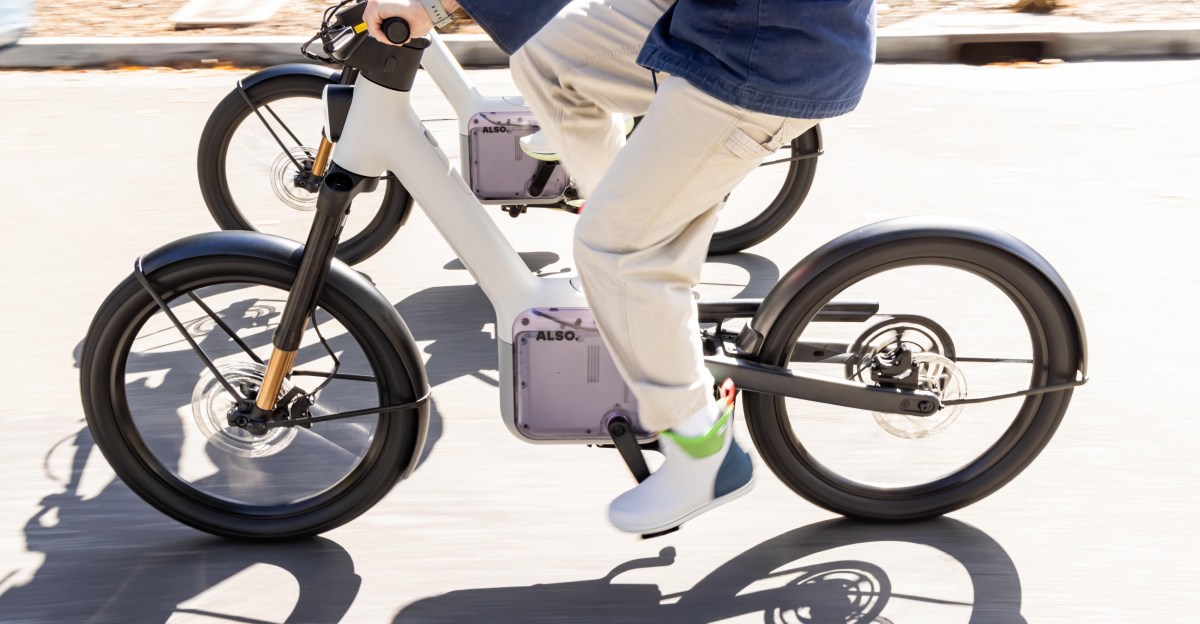
The ALSO TM-B test model I rode

Software and Controls

The software in general seemed very strong. It was well-designed, and the controls thoughtful. The phone integration seemed solid, and the reps were bullish on the future updates that would come to the bikes. The controls are very beginner friendly, with easy to adjust physical knobs and buttons. In particular, a ring around the right handlebar, next to the grip, adjusts the assistance level, and a large button that reminded me of a large dropper post lever allows quick access to more power/assistance for as long as it’s pressed.

The TM-B has turn signals, which surprised me a bit. This is one place where the controls weren’t great: I found the switches for the signals to be unintuitive, though workable after playing with them a bit. I was also surprised that they didn’t stop indicating a turn after either a turn or a period of time; I found myself riding for a bit with a turn signal blinking before noticing it. The indicator on the main display was also subtle enough that it didn’t attract my attention, and there was no noise made to warn me it was still on. I think even a audible alert that increased after a few seconds could be enough. I’ve had a motorcycle with automatically cancelling signals, and this feels like a place where ALSO could improve. The rep indicated they were working on something in this area.

I rode during the day, so I didn’t really test the lighting, but it seemed solid. Having integrated lighting front and rear is super welcome here, and it looked really nice.

The center-mounted kickstand was easy to deploy and stow, and held the bike steadily. One glaring omission for a bike like this is the lack of built-in fenders. I really appreciate them on my Brompton, even though I’m pretty much a fair-weather bike commuter.

Security

I like that the whole thing is built to be theft-resistant. This is one place where its weight is a benefit—it’s not easy to pick up casually and run off with. When you walk away from the parked bike (based on your phone), its wheels lock in place, and an alarm sounds if the bike is tampered with. It has multiple antennas and a cell connection, and it notifies you if the alarm is triggered. The battery locks in place so that it can’t be removed, too. The removable components like the battery are electronically keyed to the bike, so even if the bike was stolen and stripped, the parts won’t work on other bikes. It automatically unlocks when you return. Overall, this seemed to be a really thoughtful part of the bike.

One negative in the security area is that the bike doesn’t have any kind of integrated cable lock or other physical way to lock it to a rack. The rep said he uses a U-lock to protect his when he leaves it someplace, and carries it on the rack. I’d have liked to see a built-in solution to this, as many of the commercial e-bikes have. Locks aren’t a big barrier to real thieves, but they are another layer against the bike being casually stolen. Besides, the frame is not a standard triangle, and it’s thick, so I’m not even sure how big a U-lock one would need for it. At the least, I’d hope for a first-party lock storage solution or attachment method for a physical lock.

Off-Road/Trail Mode

As readers of this blog know, I’ve been concerned about the marketing of this bike showing it on trails, when it’s clearly a Class III e-bike, and those are almost never allowed on trails, especially here in the SF Bay Area, where most of the marketing I’ve seen as been photographed. I even saw one on the trail at Waterdog, where I know for certain Class III e-bikes aren’t allowed.

The rep had interesting information I hadn’t heard before on this front: the model with trail spec, which features large knobby tires and a “trail mode” for the software, goes into mode that limits its capabilities to Class I speeds. That’s interesting to hear, although I’m still unsure how this will ultimately play out from a regulatory point-of-view. I mean, there’s nothing stopping one from switching modes if a ranger is spotted, right? In any case, I’m glad to see there is some thought put into this area. Based on this limited ride, I do think a trail mode would be welcome if riding on dirt, as the standard software would be a challenge to ride on real trails, I think. Overall, my time on the TM-B made me feel that most people won’t take these off-road in any serious way. The suspension isn’t capable enough, the bike is too heavy, and the position isn’t great for sporty, technical riding. The brakes on the model I tested would be especially unsuitable for real technical riding. All of this said, there wasn’t a trail-spec model on hand, so I didn’t get a chance to try any of that out myself.

Conclusion

I think the TM-B is interesting, and I enjoyed my time with one. It feels like it’s super early days for this kind of thing, and e-bike regulations certainly aren’t ready for the new thinking that bikes like this embody. I’m definitely keeping an eye on the TM-B, and this space in general.

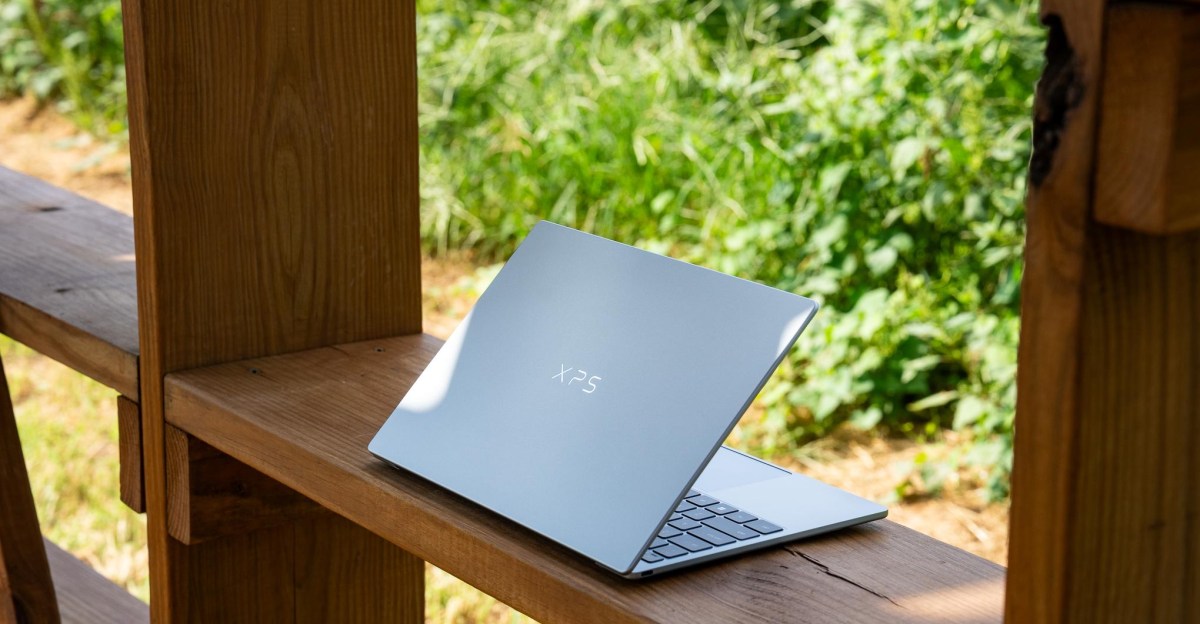
“The Dell XPS 13 is the first real competitor to the MacBook Neo”

Overlap

I recently saw someone post that they didn’t know of an app they liked well enough that could help them quickly determine what time it was in a variety of locations they were working with, so they vibed up/created an app to scratch their itch (free to use, for what it’s worth).

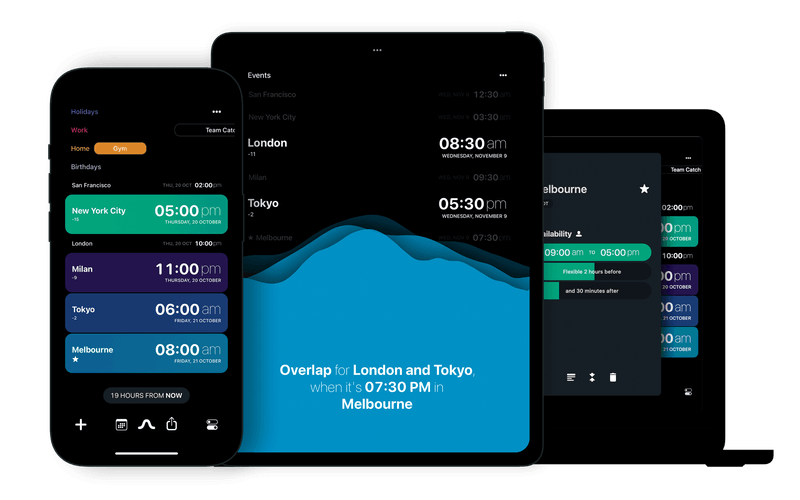
That made me think of Overlap, a simple, nice app I use for that purpose.

Overlap: World Clock

Time Converter. Effortlessly coordinate across time zones with Overlap’s elegant interface. Perfect for remote teams and global collaborators. Visual time comparison that makes scheduling delightful. Available for iOS and macOS.

bonobolabs.com

Overlap works not only tell what time it is in the locations you’re working with, but it has a really nice user interface to dial in a time in the future that works for the various time zones. It also has nice widgets available. I leave their widget on my Mac’s desktop and my iPad’s home screen with the time zones I work with all the time, and I can quickly use Exposé to get to the desktop and see what time it is in those locations instantly, without disturbing my current work. Clicking on the widget brings up the app, where I can find that sweet spot time that works for everyone (the overlap, get it?).

It’s a great example of a well-executed single-use app. Highly recommended.

The New Season of Reacher is a Stinker

I thought the new season of Amazon Prime’s popular action series Reacher started off particularly poorly when it debuted a few weeks ago. But given how strong its first season was (★★★★☆), I stuck with it. It had moments in the middle that were fine but, not only did it not get much better, its penultimate episode this week was the worst of any in the series—just terrible. This episode was long-winded, and just stupid. I don’t tune in to Reacher for deep philosophical meaning, but man, has this show’s quality dropped off a cliff.

The show has gotten steadily worse since that aforementioned excellent debut season, but this one has been calamitous. And with a new spinoff coming, based on a secondary character from the same world, I’m afraid we’re in for a double-dose. I’ll watch the finale, but I’ve seen enough to call this one: ★☆☆☆☆.

ALSO TM-B Spotted (Where It Shouldn’t Be)

Spotted: The new ALSO TM-B e-bike. Sadly, it was going the opposite direction I was, so I didn’t get a picture of it.

It was also sad because I saw it on a local trail at Waterdog in Belmont, CA. That’s notable because Belmont doesn’t allow Class III e-bikes like the TM-B on trails. You might recall that was a concern I had with the way it was being marketed, prominently featuring riders cruising on trails and singletrack where it’s almost certainly illegal. 😞

Anyway, it’s interesting because I just read an article that they are apparently behind in shipping, and people who ordered them haven’t gotten them yet. I guess someone who works there (or is connected) must enjoy Waterdog.

Rivian spinout Also apologizes for delays in shipping futuristic e-bikes

The AI boom is creating supply chain challenges.

www.theverge.com