Cutting the Cord, Over-the-Air TV, and DRM

This weekend, I set up an over-the-air antenna and tuner at home. It wasn't because of the Super Bowl, but because of Jeopardy!.

First Solution at Streaming Jeopardy!: YouTube TV

I canceled cable last year, but Jeopardy! is the one broadcast show that I want—my family watches it every evening. That led me down a path of evaluating streaming options. As a long-time, happy YouTube Premium user, I settled on YouTube TV, a paid subscription service that charges $72.99(!) for what is essentially a cable package of channels with an online DVR. For that steep price, I got a base package that doesn’t even include 4K resolution when it’s available. To add further insult to injury, the interface is truly terrible—I thought it would have the benefit of building on the well-known paradigm used on YouTube itself, but no—it’s nothing like YouTube. So, I got motivated to look for alternatives again. Unfortunately, it seems that YouTube TV is one of the better streaming options that includes the local channel that carries Jeopardy!. Time for extreme measures: I decided to try out an antenna.

Second Attempt: HDHomeRun, Antenna, and Plex

I bought an ATSC 3.0 HDHomeRun Flex 4K tuner and an antenna. The HDHomeRun is a small box that takes a coax cable from your antenna as input and provides a method for turning over-the-air (OTA) signal into digital streams on your home network—connected by Ethernet—that you can watch live or record for later viewing. I'm using Plex for scheduling and recording the channel that carries Jeopardy! on network-attached storage. Plex also provides a player app on Apple TV.

So far, so good. Plex recorded two episodes of Celebrity Jeopardy!, and is poised to get the regular series’ episodes this week. Plex offers some interesting features, like commercial marking and skipping, and its DVR seems to have all the standard features one would expect. The playback interface seems basic, but serviceable. I’ve got my fingers crossed that this will be a good long-term solution, and I can kick YouTube TV, and its terrible interface and high price, to the curb.

This wasn't a particularly cheap option: the HDHomeRun cost $199, the antenna another $199, and I already had a lifetime Plex pass, but that's another $120 (or $5/month) if you don't. (Plex isn't required, but the software that comes with the HDHomeRun is pretty barebones.) Still, to get rid of a $73/month subscription, I'm willing to plunk down; it'll pay for itself in a handful of months.

Gloomy Epilogue: “NextGen TV” and the Spectre of DRM

While perusing the online channel guide, I noticed some channels—including our local CBS affiliate—were marked as DRM-encumbered. A quick search revealed an article by Jared Newman at TechHive:

It’s been more than five years since I first asked whether ATSC 3.0, aka NextGen TV, would spell doom for over-the-air DVR. The answers are coming in now, and they’re not encouraging.

Unfortunately, even OTA broadcasts are starting to be DRM-encumbered. The HDHomeRun I bought is ATSC 3.0 compliant, so I should be fine, but man, it seems that there’s no stopping the march of DRM. I pay quite a lot for my content, and don’t pirate. But I’m frequently bitten by the annoyances of DRM. Just in the last week, I got an HDCP error on a TV, and my new Vision Pro blacked out the screen on a screenshot that I wanted to share with a friend to illustrate what the theater-like experience is like. No piracy was going to happen with a still frame of me watching Avengers: Endgame, I assure you; but a black screen certainly ruined the point I was trying to make.

Anyway, it seems that OTA is safe for at least four years from the time of the article, but it sucks nonetheless.

“NetNewsWire Turns 21”

"Apple Vision Pro review: Eyes on the future"

"Behind the Powers of The Marvels"

"YouTube says a Vision Pro app is ‘on the roadmap’"

"Tracy Chapman Returns to the Grammy Stage for ‘Fast Car’ Duet"

My First Weekend with the Apple Vision Pro

There have been a ton of hot takes on the device, so I‘ll just talk about my impressions that are perhaps more personal than the broad overview. You can go to a lot of sources for that kind of information. My favorite one is from Joanna Stern at the Wall Street Journal, but I also liked the one from Marques Brownlee.

As far as my impressions of the Vision Pro physically, it is actually smaller than I expected, after all the press about it. It is heavy on the face after a couple of hours, but I got much more comfortable with it on the second day, and after switching to the dual loop band instead of the solo loop that comes on it by default. I wouldn’t call it comfortable, but it is more comfortable for me than Meta’s Quest 2, the other headset I own and have experience with. I attribute a lot of that to the fact that I’m farsighted, and have to wear glasses inside of the Quest, while I have (admittedly expensive) custom lenses installed in the Vision Pro. This makes it much easier and less intrusive to wear, especially after a few minutes, when the Quest would press the bridge of my glasses into my nose.

Once I got it unboxed (watch Brownlee’s unboxing video for that pretty impressive experience), I wanted to just jump in and start playing around, but I should have expected that setting up what is essentially a new Apple computer would have me jumping through some of the familiar hoops, such as downloading 1password to be able to get into my accounts easily. (Thank goodness 1password’s iPad app works! It does have a bug that causes it to not work with Safari, and doing so leaves an orphan window stuck until a reboot...I filed an issue with them.)

So far, my absolute favorite experience is looking at panoramic pictures in “immersive mode”—a setting which makes the panorama wrap around you. You really feel like you’re standing in the spot where the picture was taken and can look all around. I’ve been lucky enough to travel to some pretty amazing places to ride my mountain bike, and the pictures from those places are breathtaking on this device. I can’t overstate how compelling this part is.

I shot a couple of videos in the new spatial video format with my iPhone over the holidays, but I don’t have enough of them to get the same wow factor from them. The ones I shot seemed kind of low resolution, so I’ll have to shoot more of them before I can have much of an opinion on them.

The “Memories” feature of Apple Photos is always fun to look through on an Apple TV or iPad, but there’s even more impact when looking at them through the Vision Pro. I keep two main photo libraries: photos shot on my iPhone are in Apple Photos, and photos with the larger cameras, like the Sony or Leica, are in Lightroom Classic. Now I’m considering bringing photos from Lightroom into Apple Photos, just so I can have them there for Photos to make Memories out of.

This thing is really great for watching movies and TV shows on a giant virtual screen. I watched the last two episodes of season 2 of Marvel’s What If...? (★★★☆☆) and both the show and the experience were great. The virtual environments that are available, like watching a movie from Avengers Tower overlooking New York City, are really cool. I find, though, that my favorite is the basic clean Cinema in the Apple TV app. The clutter-free environment really lets the content shine. It still offers the ability to choose a floor or balcony seat, and from front, middle, or rear rows. Sitting in the front row more than fills your field of view, like watching an IMAX movie—you have to move your head to see the the sides of the screen. Middle balcony is my favorite.

I watched a few minutes of some 3D movies and, while they absolutely look better than the 3D glasses that one has to wear in the theaters, I’m not sold yet—I was never a fan of the 3D movie movement, and I’m glad it’s passed. I’ll need to give this a better shot, but my first impression is that I’d rather watch a big 2D version.

Quite a few reviews have made a big deal about the surprisingly good audio qualities of the Vision Pro. I agree that Spatial Audio works well, and the sound is quite full given the tiny speakers in the headband. Apple has proven over and over that they can get great sound out of small speakers (MacBook Pro speakers, AirPods, and HomePods, to name a few instances), so I guess I’m not as surprised as others.

One thing I do wish were possible is to be able to AirPlay the sounds from the headset out to external speakers. I have a nice Dolby Atmos-capable home theater setup with a powerful subwoofer, and the Vision Pro can’t touch that. I want to have the giant virtual screen and my home theater sound. That seems reasonable, given that Apple TV can already send sound to AirPods. Hopefully it’ll be possible in the future, but I see no options for it now.

One last miscellaneous observation that hadn't occurred to me, but makes sense: despite Vision Pro covering your eyes, you do actually need light in the room for it to work; it needs to be able to see your hands with its cameras to navigate. We had our power go out in a big storm that hit on Sunday, and by nighttime I was having a hard time using Vision Pro because of the low light. I was able to tether to my iPhone and get a movie started, and was OK from there, but I couldn’t do much else with the lights out.

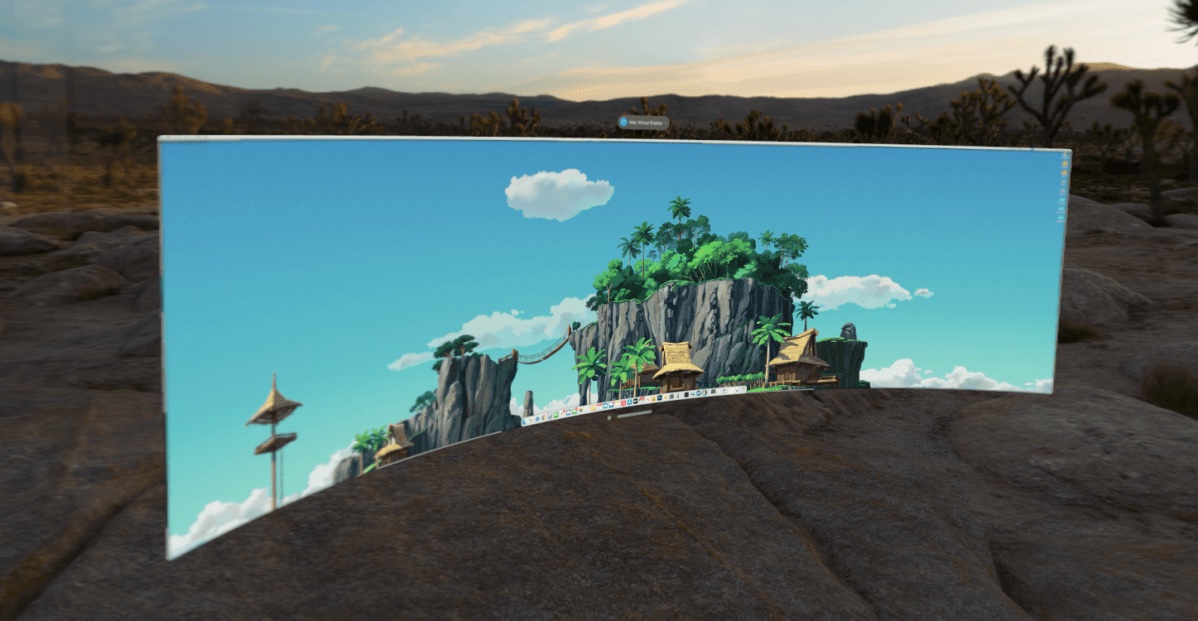
I’m sure I’ll have more to say after spending some time with the device. One thing I’m looking forward to doing is working with my Mac through the Vision Pro, and I’m sure I’ll get to that during the week.

“Mozilla says Apple’s new browser rules are ‘as painful as possible’ for Firefox”

"The Mac turns 40 — and keeps on moving"

"Like a Fine Wine: Wende Cragg’s Custom 1983 Breezer Series III"

Happy 40, Mac!

A lot is being written today about the fortieth anniversary of the Mac, and I couldn’t let it go by without noting it here briefly as well.

I’d first seen a Mac back in 1985. A high school friend of mine’s father worked at Apple, and he had the original Mac 128k. It was cute, but its black-and-white screen and high price tag left me cold. About the same time, the Commodore Amiga debuted with its amazing graphics capabilities, aligning with my growing interest in motion graphics and animation, and I went that direction.

I got my next taste of the Mac in college, where I used one in journalism classes, writing and laying out documents. With the Amiga dying at that point, I bought my first Mac in 1993: the Quadra 840 AV. As its name implies, also had unique abilities in audio-video processing. I was only able to afford it because of generous student discounts and financing options, but it kicked off a life-long love of the Mac.

Macintosh Quadra 840AV

That Quadra got me into the Mac just at the height of the 68000 processor family that powered the Mac since its beginning; it’s 40 MHz 68040 was the fastest chip in that family that Apple shipped in a Mac. It also set me up to go through all of the Mac’s transitions: from 68000 to PowerPC, then to Intel, and now on to Apple Silicon. Not to mention that Quadra came with System 7 installed, so I got to ride the original Macintosh operating system all the way through Mac OS 9 and on to Mac OS X. The change to a UNIX-based operating system was great for me as a programmer, as it allowed me to use Macs for my work as well as pleasure.

I’ve had many, many Macs over the years. Rather than try and list them all, I’ll just point out a few of my favorites: the Power Mac G3 and the original Intel-based 15-inch MacBook Pro certainly qualify for that distinction. For a long time, I used a laptop as my only computer, and look back particularly fondly at the extremes of the PowerBook era, the 12-inch PowerBook G4 and the 17-inch PowerBook G4. But if pressed to pick my nostalgic favorite beyond my original Quadra, I’d have to say the Titanium PowerBook G4 takes the top honor. While not a unibody case itself, it was certainly the precursor to the MacBook lineup that’s defined the line ever since.

Today, I’m spoiled with a great combo. I’m writing this on my current personal machine, which is easily the most powerful Mac I’ve ever used: a Mac Studio with an M1 Ultra. And my work machine is a 14-inch MacBook Pro, so I’m definitely not hurting for good computing options.

I’ll end the post here, with a video that’s making the rounds today: the original introduction of the Macintosh. See you in ten years for the fiftieth!

"Death Stranding comes to life on iPhone and Mac next week"

"Hyphens and Dashes: A Refresher"

"Netflix Has No App For VisionOS"

"Samsung finally puts the TV at the heart of its smart home"